
A sales rep finishes a promising call, switches tabs, types notes from memory, logs the outcome, and sets a callback reminder in another tool. Four minutes are gone before the next call even starts. Multiply that across 50 calls a day and a 10-person team, and you lose over 30 hours of selling time every week. That is the hidden cost of running phone operations outside Salesforce. Calls happen in one system, customer data lives in another, and follow-ups slip through the cracks. A Salesforce calling solution fixes this by bringing telephony inside the CRM, so every call, log, follow-up, and customer detail stays connected to the right record. Sales teams move faster. Support agents get context instantly. Managers get cleaner data to coach from.
This guide covers what a Salesforce calling solution is, which features matter, where it helps across sales, support, and operations, what setup mistakes to avoid, and how 360 CTI delivers native Salesforce calling with no setup costs and no middleware.
Are Your Reps Still Switching Between Calls and Salesforce?

What Is a Salesforce Calling Solution?
A Salesforce calling solution connects your phone system with Salesforce so users can make, receive, manage, and track calls directly from the CRM.
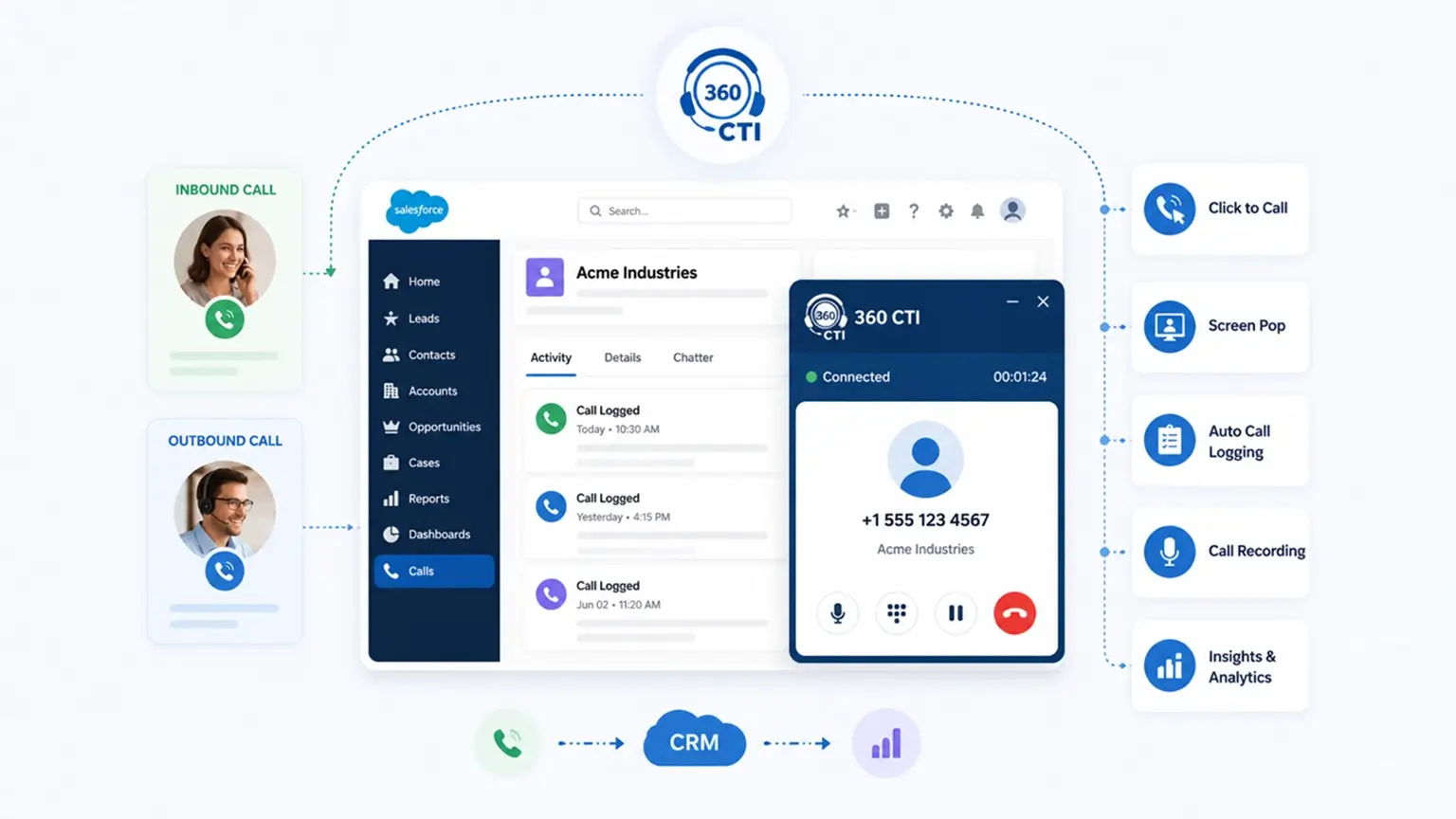
Instead of calling from a separate VoIP app, desk phone, or browser dialer and updating Salesforce later, teams can handle the full call workflow inside Salesforce. That includes dialing, receiving inbound calls, viewing customer records, logging activity, adding notes, setting follow-ups, recording calls, and reporting on outcomes.
At a practical level, it helps teams manage:
- Outbound calls from Salesforce records
- Inbound calls with customer context
- Automatic call logs
- Notes, dispositions, and outcomes
- Call recordings and transcripts
- Follow-up tasks
- Manager dashboards
- Salesforce activity reporting
The Key Features That Define a High-Quality Salesforce Calling Solution
Not every tool that claims Salesforce CTI integration delivers the same depth. The feature set is what determines whether your team saves hours per week or just adds another tab to manage. Here is what to evaluate carefully.
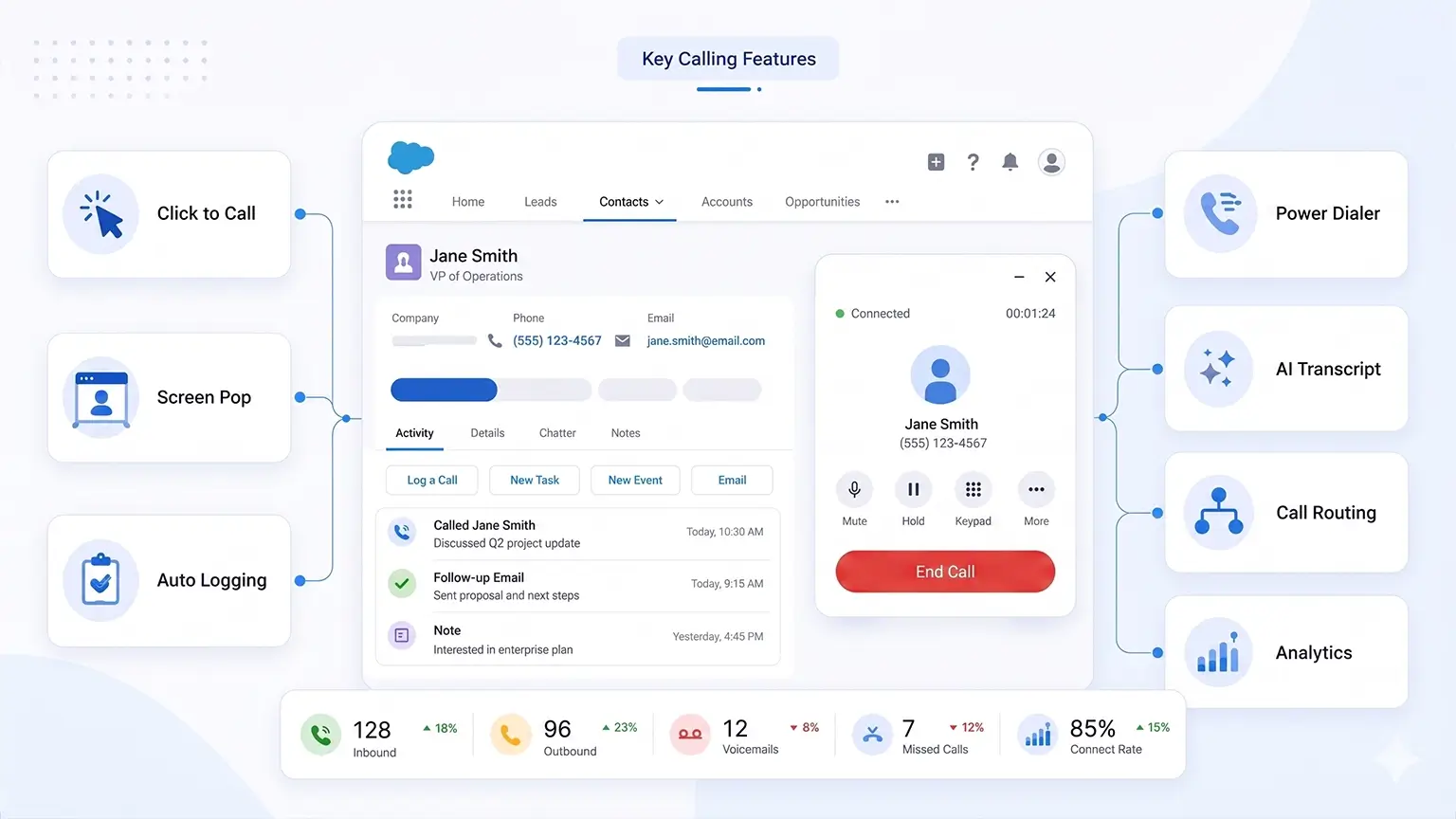
1. Click-to-Dial and Automatic Call Logging
Click-to-dial allows users to dial directly from a Salesforce lead, contact, account, opportunity, case, or custom object. This removes one of the most repetitive actions from a rep’s day. No copying phone numbers. No switching to another app. No manual dialing errors.
A strong click-to-call feature should support:
- One-click dialing from record pages
- Calling from list views
- Outbound caller ID control
- Call notes and dispositions
- Automatic activity logging
- Calling from standard and custom objects
For sales teams, this speeds up outreach. For service teams, it makes callbacks easier. For operations teams, it keeps every follow-up tied to the right account or record.
3. Inbound Screen Pop
Inbound calls need instant context. When a customer or prospect calls, the system should recognize the number and open the right Salesforce record. That could be a lead, contact, account, opportunity, or case. A good screen pop setup should support:
- Known and unknown callers
- Duplicate or multiple record matches
- Open case visibility
- Account ownership
- Priority customer handling
3. Power Dialer with Controlled Bulk Auto-Dialing
For sales teams running lead follow-ups, renewal calls, demo reminders, or outbound campaigns, a power dialer can make a major difference. Instead of opening each record, copying the number, dialing manually, and then logging the result, reps can move through a prepared call list faster from inside Salesforce. A good Salesforce power dialer should help reps:
- Call leads or contacts one after another from a list
- Reduce idle time between calls
- Log each attempt automatically
- Add call outcomes without leaving Salesforce
- Create follow-up tasks based on the result
- Keep outreach activity tied to the right campaign, lead, or opportunity
4. Automatic Call Logging
Manual call logging fails at scale. Reps forget. Notes get shortened. Outcomes are selected inconsistently. Managers lose trust in CRM activity data. A reliable Salesforce calling solution should automatically capture:
- Call direction
- Timestamp
- Duration
- Agent or rep name
- Related Salesforce record
- Outcome
- Notes
- Recording link
- Missed call status
- Follow-up task
Salesforce’s Open CTI saveLog() method supports saving or updating Salesforce records from CTI workflows, which is one way call activity can be written back into the CRM.
5. Agent-Led Inbound Lead Capture
Not every inbound call comes from an existing customer. Some come from new prospects who are ready to ask about pricing, book a demo, or speak to sales. If those calls remain only in the phone system, high-intent leads can disappear. A strong Salesforce calling solution should support:
- Agent status controls: Online, Away, Offline
- Real-time agent availability
- Auto lead creation from new inbound calls
- Caller details captured inside Salesforce
- Missed call tracking
- Follow-up task creation
6. IVR and Intelligent Call Routing
Inbound calls should not simply go to the next available person. They should go to the right person. IVR and call routing help direct callers based on department, region, product, business hours, customer type, case status, or agent availability. Common routing examples:
- New inquiry → sales queue
- Existing case → support queue
- Renewal account → customer success
- VIP customer → account owner
- Missed call → follow-up task
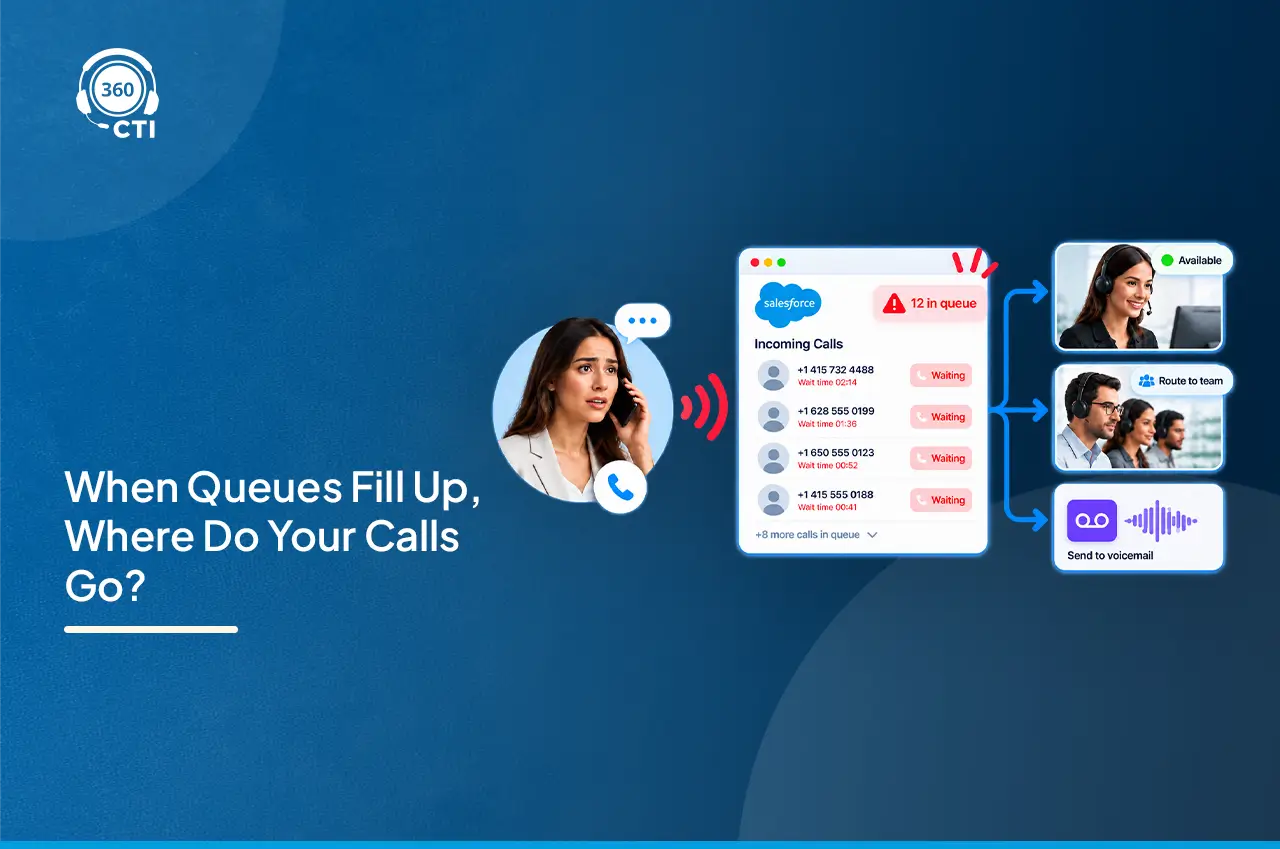
360 CTI supports call routing based on skills, team, region, business hours, customer history, caller priority, and agent availability, helping teams reduce transfers and connect callers faster.
Want Your Callers to Reach the Right Agent at the Right Time?

7. Call Recording, Transcription, and Sentiment Analysis
Call recordings are useful for training, quality checks, dispute handling, and compliance. But they are far more useful when attached to Salesforce records. Sales managers can review calls linked to lost opportunities. Support leaders can audit escalated cases. Customer success teams can revisit renewal objections.Transcription makes calls searchable and easier to review. Sentiment analysis helps flag frustrated customers, hesitant buyers, or high-risk conversations. The key is where this data lives. If recordings and transcripts stay in a separate phone portal, teams still have another silo. If they are connected to Salesforce, they become part of the customer history.
- AI Calling, Coaching, and Automation
AI should reduce after-call work and improve conversation quality. Useful AI calling features include:
- Call summaries
- Real-time transcription
- Sentiment detection
- Automated calling
- AI coaching
- Keyword and intent detection
- Suggested next steps
- Voice bot support
360 CTI’s AI call automation supports real-time transcription, multilingual support, sentiment detection, AI voice bot calling, automated calling, and AI-generated call summaries inside Salesforce.
Reduce Post-call Admin Work With Automated Call Summaries.

How a Salesforce Calling Solution Applies Across Different Teams
A Salesforce calling solution is useful wherever phone conversations influence revenue, service quality, or follow-up accountability.
Sales Teams: Close More Deals by Eliminating Dialing Inefficiency
Sales teams use Salesforce calling to speed up outreach and improve pipeline visibility. Common use cases:
- Calling leads from Salesforce
- Running outbound campaigns
- Logging every attempt automatically
- Tracking outcomes by rep or campaign
- Creating follow-up tasks
- Reviewing calls for coaching
- Prioritizing leads based on engagement
For example, an SDR team receives 300 demo requests in a month. Without Salesforce click to call and auto logging, reps call from another tool and update Salesforce later. Some notes are missed. Some follow-ups slip. With a connected calling workflow, reps call directly from lead records, outcomes are logged automatically, and next steps are created immediately
Customer Support Teams: Increase First Call Resolution with Full Context on Every Call
Support teams use Salesforce calling to answer with context and resolve issues faster. Common use cases:
- Opening customer records on inbound calls
- Routing calls through IVR
- Connecting calls to cases
- Recording calls for quality review
- Transferring calls with context
- Tracking missed calls
- Monitoring queues
Example: A customer calls about a recurring issue. The agent sees the case history, account details, product information, and previous call notes before speaking. The conversation starts from context, not repetition.
Operations and Delivery Teams
Operatio Operations teams use calling for reminders, confirmations, escalations, and process follow-ups. Common use cases:
- Appointment confirmations
- Payment reminders
- Document follow-ups
- Renewal calls
- Delivery coordination
- Vendor communication
- Internal escalation tracking
Example: A finance operations team calls customers about pending documents. Each call is logged under the account. If the customer does not answer, Salesforce creates a follow-up task. Managers can see what still needs action without asking for manual updates.
Setup Considerations Most Teams Only Discover After Go-Live
A calling tool only works well when the Salesforce workflow is planned properly. Do not start with features. Start with how calls should move through the business.
1. Decide Where Calls Should Be Logged
Define which Salesforce records should store call activity. Common options include:
- Lead
- Contact
- Account
- Opportunity
- Case
- Custom object
Sales teams may need lead and opportunity logging. Support teams may need case-level logging. Account teams may need account and contact history. If this is unclear, call data becomes fragmented.
2. Clean Phone Number Data
Screen pop and record matching depend on clean phone data. Common issues include:
- Missing country codes
- Inconsistent formats
- Duplicate records
- Old leads with active customer numbers
- Custom phone fields ignored by matching logic
Clean data improves caller recognition, routing, and reporting.
3. Keep Call Outcomes Simple
Call dispositions should be easy to use. For sales, start with:
- Connected
- No answer
- Voicemail
- Interested
- Not interested
- Follow-up needed
For support, start with:
- Resolved
- Escalated
- Callback required
- Transferred
- Follow-up sent
Shorter lists create better adoption and cleaner reports.
| Call Flow | Main Question | Salesforce Action |
| Outbound sales call | Who should the rep call next? | Dial from lead, contact, or opportunity |
| Inbound support call | Who is calling? | Open contact, account, or case |
| New inbound prospect | Is this caller already in Salesforce? | Create lead and log call |
| Missed call | Who should follow up? | Create task or alert |
| Escalation call | Who owns the issue? | Route to owner or queue |
4. Validate the Salesforce User Experience
A Salesforce softphone must fit the way users already work.
Before implementation, confirm:
- Which Salesforce app users work in
- Whether Service Console is required
- Which objects need call logging
- Which teams need access
- What permissions are required
- Whether reports need custom fields
- Whether the solution supports your required phone system for Sale
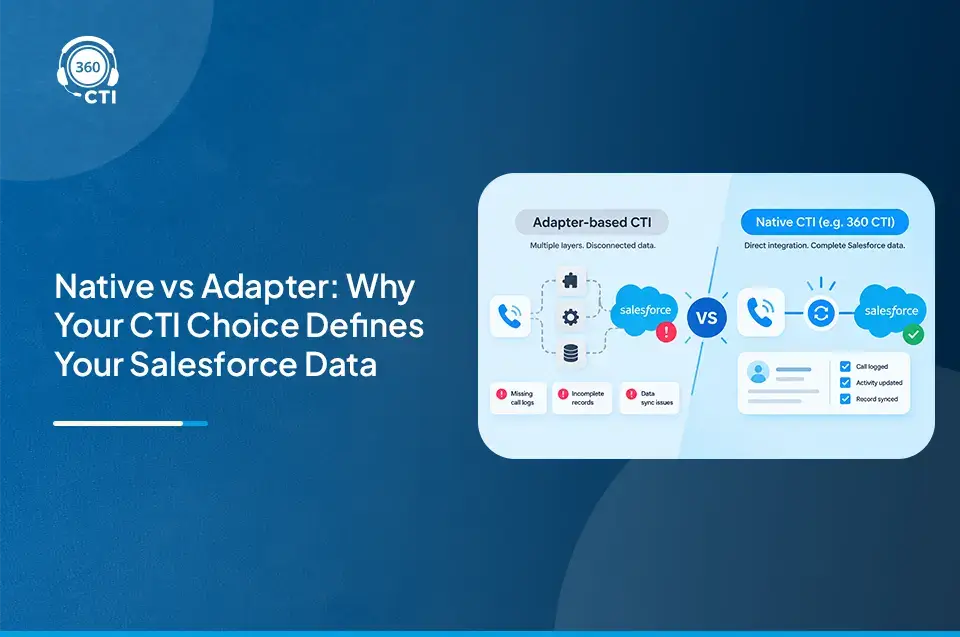
Native Salesforce Calling vs. Salesforce CTI Integration
Decision-makers often compare native Salesforce calling with third-party Salesforce CTI integration. The right choice depends on call volume, routing needs, reporting expectations, and telephony flexibility.
| Evaluation Area | Native Salesforce Calling | Salesforce CTI Integration |
| Best fit | Simple voice needs | Advanced calling workflows |
| Calling controls | Basic calling capabilities | Click-to-call, dialer, transfer, hold, mute, recording |
| Inbound routing | Depends on native setup | IVR, queues, sticky agent, routing rules |
| Outbound productivity | Works for light calling | Better for high-volume outreach |
| CRM context | Salesforce-based experience | Screen pop and deeper record matching |
| Lead capture | May need extra configuration | Can create leads from new inbound calls |
| AI support | Depends on setup | Can include transcripts, summaries, sentiment, coaching |
| Reporting | Salesforce reports | Salesforce reports plus call analytics |
| Flexibility | Salesforce-native framework | More telephony and workflow options |
| Best for | Standard voice use cases | Sales, service, and operations teams with complex call flows |
Want to Learn the Difference Between Salesforce Native vs.3rd-Party Telephony Solution?

How 360 CTI Delivers Salesforce Calling Inside the CRM
360 CTI brings calling directly into Salesforce, so teams can manage inbound and outbound conversations without switching between a phone system and CRM.
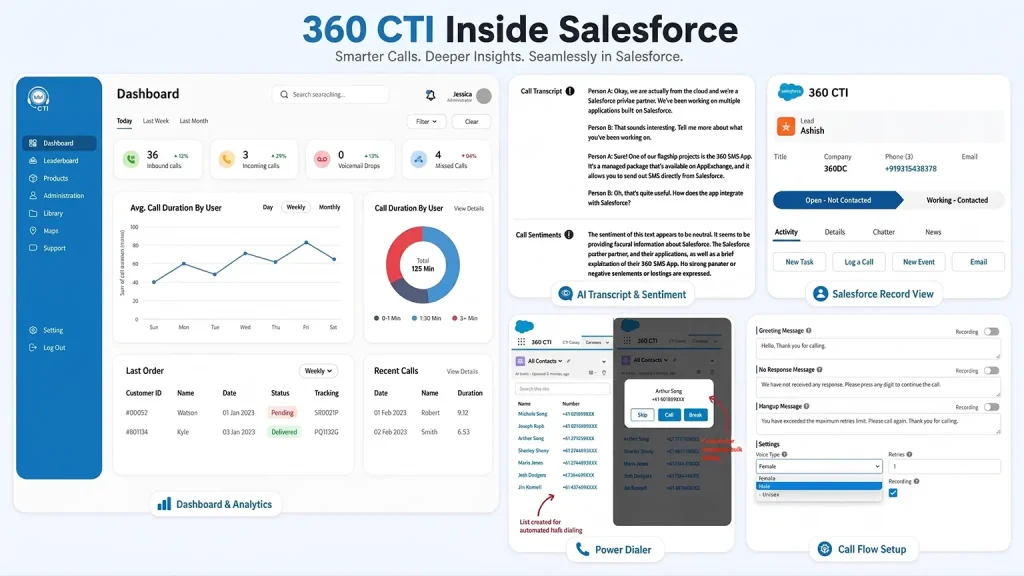
Reps can place calls with Salesforce click to call, move through lead lists faster with a power dialer, and automatically log every call activity against the right record. For inbound teams, 360 CTI helps route calls to the right agent, show customer context through screen pop, capture new inbound leads, and track missed calls for follow-up. It also adds AI-powered capabilities like call transcription, sentiment analysis, call summaries, and coaching insights, helping managers improve conversations without relying on manual call reviews. With call recordings, dashboards, agent availability, IVR, call routing, and automated follow-up workflows, 360 CTI turns Salesforce into a complete calling workspace for sales, support, and operations teams.
Conclusion
Choosing a Salesforce calling solution is ultimately about giving every conversation a clear place in your customer journey. When calls are connected to the CRM, teams are not just speaking to customers faster. They are working with better context, cleaner ownership, and fewer gaps between intent and action. The right solution should make calling feel like a natural part of Salesforce, not another system your team has to manage. It should support how your people already sell, serve, follow up, and report.
For teams that want calling to become more structured, visible, and easier to act on, 360 CTI brings the right mix of native Salesforce workflows, automation, AI insights, and call management capabilities into one connected experience.