
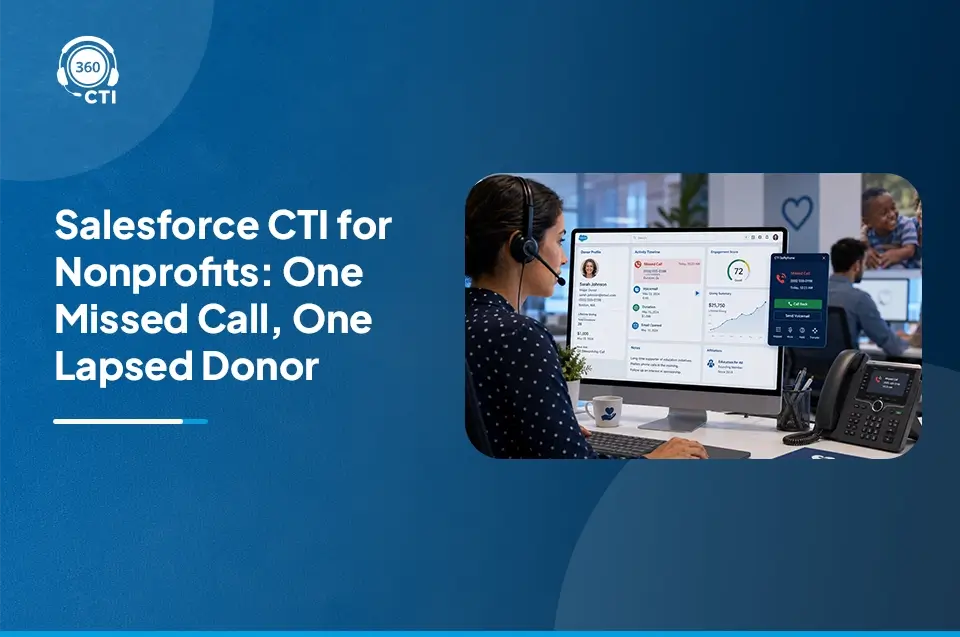
A donor pledges $500 in March, gets a thank-you email, and then hears nothing personal from the organization until the annual appeal lands in their inbox eleven months later. No renewal call. No update on where the money went. By the time someone finally dials their number, the donor has already decided this felt more like a transaction than a relationship, and lapses.
Nonprofits lose donors this way constantly, not because the mission stopped mattering to the donor, but because the follow-up call never happened. Salesforce CTI for nonprofits fixes that specific gap by tying every donor and volunteer call directly to Salesforce records, so outreach happens on schedule instead of whenever someone remembers.
Want to learn how CTI Fits a Nonprofit Salesforce Org?

How Nonprofits Use Phone Calls in Their Fundraising and Engagement Model
Email and text campaigns scale well for nonprofits with limited staff, and most organizations lean on them heavily. But calls still do something digital channels can’t: they carry tone, urgency, and a sense that a real person noticed you.
Phone calls tend to matter most at a handful of specific points:
- Major gift cultivation, where a relationship-building call with a development officer often precedes any ask by months.
- Pledge renewal, where a short, well-timed call can recover a donor who would otherwise silently lapse.
- Volunteer scheduling, where confirming a shift by phone reduces no-shows far more than an automated email reminder does.
- Emergency or time-sensitive appeals, where a disaster response campaign or a matching-gift deadline needs outreach measured in hours, not weeks.
Staff time is the constraint in every one of these. A development team of three people can’t manually track who’s due for a renewal call, who confirmed their volunteer shift, and who hasn’t been contacted since last year’s gala. That’s the specific problem nonprofit Salesforce telephony is built to solve: not more calls, but the right calls, made on time, to the right person.
This is also where the distinction matters for anyone evaluating a system. Salesforce CTI for non-profit organizations isn’t a different product from CTI built for sales teams, it’s the same underlying call infrastructure applied to a different data model, one built around constituents, gifts, and volunteer shifts instead of leads and opportunities. A tool that only understands sales pipelines will force a development team to bend donor calling into a shape it was never meant to fit.
How Salesforce CTI Connects to NPSP and Nonprofit Cloud
A naming note worth getting right before going further: Salesforce rebranded Nonprofit Cloud as Agentforce Nonprofit in October 2025. NPSP (Nonprofit Success Pack) is a separate, older product, still fully supported, still widely used, but no longer receiving new feature development since Salesforce shifted its innovation focus to the newer platform. Many nonprofits are still on NPSP today and have no urgent need to migrate; this blog uses “NPSP” and “Nonprofit Cloud” throughout because those are still the terms fundraising teams search for and recognize.
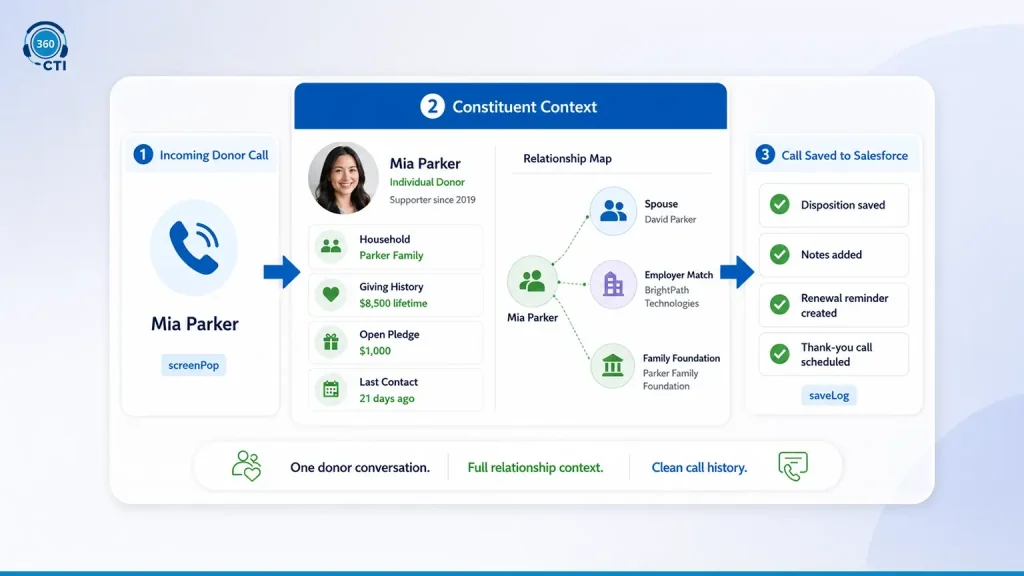
CTI connects to either platform through Salesforce’s Open CTI framework, which uses methods like screenPop and saveLog to write call activity directly into constituent records. In an NPSP org, that means calls tie to the Contact record and its related Opportunity (NPSP’s term for a gift or pledge). In Nonprofit Cloud, calls tie to the constituent and their associated donation or engagement records under the newer data model.
A Salesforce NPSP CTI integration specifically needs to respect NPSP’s household and relationship model, since a single donor record often connects to a spouse, a matching-gift employer, or a family foundation. A CTI system that only logs calls against a flat contact record, without understanding those relationships, ends up creating duplicate or disconnected call history for what’s actually one household’s giving pattern.
What this looks like for a development officer:
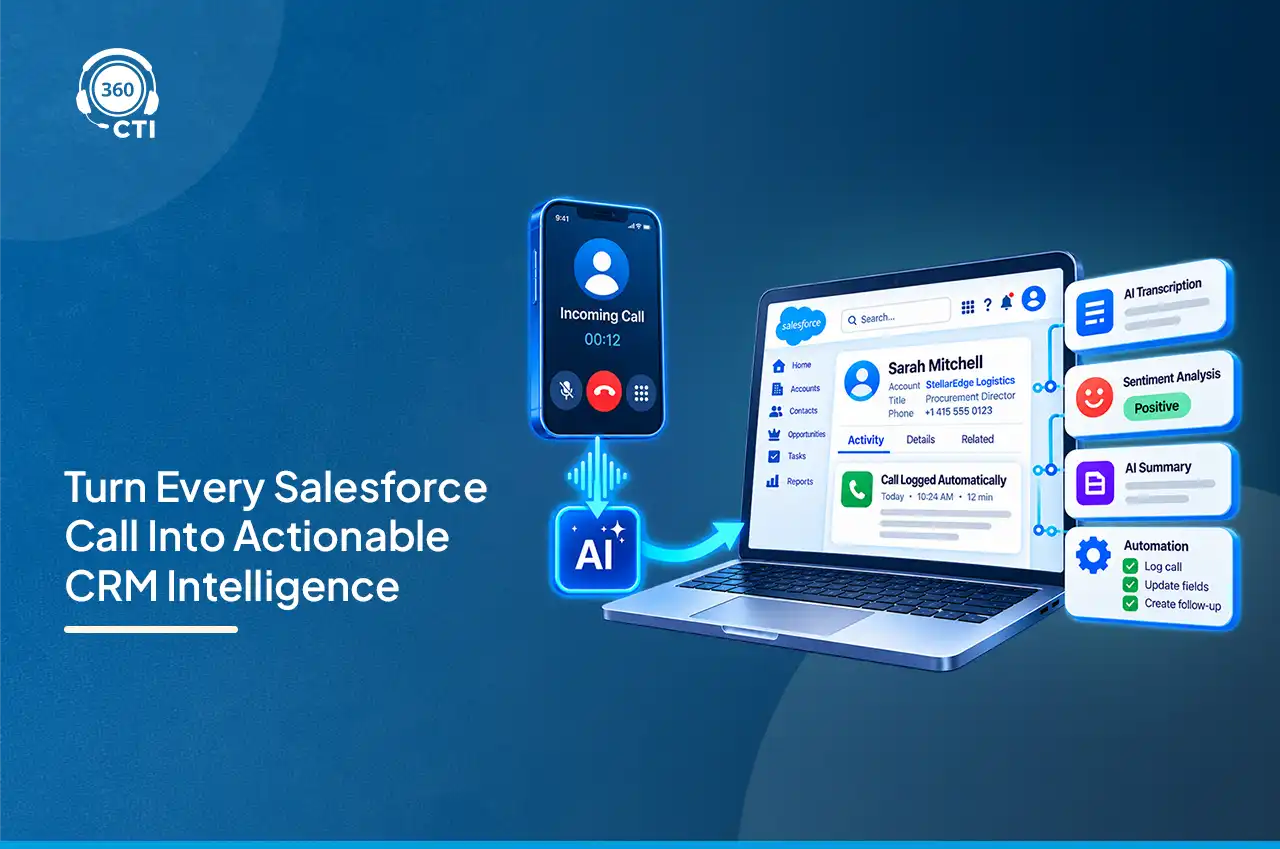
- The phone rings, and the donor’s constituent record opens automatically, showing giving history, last contact date, and any open pledge.
- No searching a spreadsheet for “who gave what, when.”
- After the call, disposition and notes save directly to the record without manual entry.
- The next scheduled touchpoint (a thank-you call, a renewal reminder) gets flagged automatically based on what happened on this call.
Donor Call Workflows: Annual Giving, Major Gifts, and Renewal Outreach
Not every donor call should follow the same script or the same urgency, and treating a $25 annual donor the same as a $10,000 major gift prospect wastes staff time on both ends.
- Annual giving calls work best as a volume motion: a filtered call-down list of lapsed or upcoming-renewal donors, worked through with a power dialer so a small team can get through dozens of calls in an afternoon instead of a handful.
- Major gift calls need the opposite approach. These are lower volume, higher context, and depend entirely on the caller knowing the donor’s full history before dialing, past gifts, event attendance, any prior conversations about specific programs they care about.
- Renewal outreach sits in between. It benefits from automation (the system surfaces who’s due) but still needs a human voice, since a renewal call is often the only personal touchpoint a mid-level donor gets all year.
Donor engagement calling in Salesforce works best when these three workflows are configured separately, not lumped into one generic “call the donor list” process that treats every gift size the same way.
Consider what happens when a $10,000 prospect and a $50 annual donor end up on the same undifferentiated call list. The major gift prospect gets a rushed, transactional call from someone working through a quota of forty dials that day, exactly the wrong tone for a relationship that might eventually fund a building. Meanwhile the annual donor gets skipped entirely because the development officer spent their limited hours on the higher-dollar names instead. Segmenting the list by gift tier and routing each segment to the appropriate calling motion, power dialer for volume, dedicated time blocks for major gifts, fixes both problems at once.
Is Voice Actually Wired Into Your Omni-Channel Routing, or Still Bolted On?

Volunteer Coordination: Using CTI for Scheduling and Confirmation Calls
Volunteer no-shows cost nonprofits more than most fundraising inefficiencies, because a program that depends on twenty volunteers and gets twelve often can’t run at all.
CTI helps close that gap in a few concrete ways:
- Shift confirmation calls, placed a day or two before a scheduled shift, catch cancellations early enough to backfill the spot.
- Auto-dialing through a volunteer list lets a coordinator confirm an entire event’s roster in under an hour instead of chasing people individually by text.
- Call notes tied to the volunteer record mean the next coordinator (who might not be the same person) can see who’s reliable, who’s canceled twice, and who prefers weekend shifts, without asking around.
None of this replaces a good volunteer management process. It just means the confirmation call, the one step most likely to get skipped when staff are stretched thin, actually happens.
Outbound Fundraising Campaigns: Compliance and DNC Considerations
This is the section development teams tend to either over-worry about or under-worry about, and both mistakes carry real risk for fundraising call campaigns run through Salesforce.
Here’s what’s actually true. Nonprofits calling on their own behalf, using their own staff or volunteers, to solicit charitable contributions are generally exempt from the National Do Not Call Registry. That exemption is specific to charitable solicitation, though, and it disappears the moment a campaign includes any commercial element, like promoting a for-profit partner’s product alongside the ask.
Being exempt from the national registry doesn’t mean nonprofits are exempt from everything. Under the Telemarketing Sales Rule, organizations still need to:
- Honor entity-specific do-not-call requests. If a donor asks not to be called again, that request has to be tracked and respected, registry exemption or not.
- Identify the organization clearly at the start of every call.
- Call within permitted hours, generally 8 a.m. to 9 p.m. local time for the person receiving the call.
- Provide an opt-out mechanism on any prerecorded message calls.
If a nonprofit works with a third-party or for-profit telemarketer to run outbound campaigns, that vendor faces more TSR requirements than an in-house team does, even while soliciting on the nonprofit’s behalf. Mixing charitable and commercial messaging in the same campaign is the fastest way to lose the exemption entirely, so campaigns need to stay clearly separated by purpose.
A CTI system that logs opt-out requests and call disposition automatically gives a nonprofit a defensible internal do-not-call list, which matters more than the registry exemption itself when a donor later claims they asked not to be contacted.
Tracking Donor Call Outcomes in Salesforce Reports
| What Changes | Manual Donor Outreach | CTI-Powered Outreach |
| Calls per staff member per day | Limited by manual dialing and lookup | Higher, through auto-dialing and call-down lists |
| Pledge conversion tracking | Scattered across notes and spreadsheets | Logged against the gift record automatically |
| Renewal follow-up | Relies on someone remembering | Auto-surfaced based on gift date |
| Volunteer no-show rate | Hard to correlate with confirmation calls | Visible when call history ties to shift records |
| Reporting on call-to-gift attribution | Difficult to reconstruct after the fact | Built directly from logged call and gift data |
Once calls are logged consistently, a development director can finally answer a question that’s usually just guesswork: did the renewal calls actually move the needle this quarter? With call history tied to the gift record, that comparison becomes a standard Salesforce report instead of a manual reconstruction project every year-end.
How 360 CTI Powers Nonprofit Calling Inside Salesforce
360 CTI connects to NPSP and Nonprofit Cloud records directly, so a development officer or volunteer coordinator works from one screen instead of switching between a phone system and Salesforce. Auto-dialing and call-down list management help a small team move through renewal or volunteer confirmation lists efficiently, while dialer-accessible call logs make sure nobody loses track of who’s already been contacted.
For nonprofits running lean teams during peak giving season (year-end, GivingTuesday, disaster response campaigns) that structure matters more than any single feature. Staff aren’t managing two systems under pressure. They’re working one list, with donor or volunteer context on every call, and every outcome landing exactly where the development team needs it for reporting.
Conclusion
Every meaningful conversation with a donor starts with a call that actually gets made, not one that was planned, flagged, and quietly skipped because staff ran out of hours in the day. Salesforce CTI for nonprofits doesn’t replace the relationship-building a good development officer does. It just makes sure the call happens when it’s supposed to, and that what was said on it doesn’t disappear the moment the call ends.